
Artists allow you to manage individual tattoo artists within your studio.
Each artist has their own availability, styles, and public profile for clients to choose from.
Managing tattoo artists
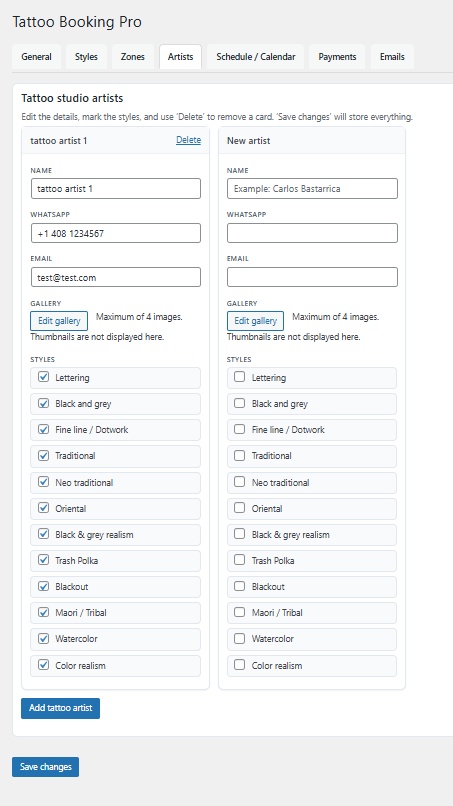
You can add up to 8 tattoo artists and configure each one independently.
This keeps schedules organized and ensures clients book the right artist.
- Create and edit artist profiles
- Set individual availability per artist
- Assign styles to specific artists
- Add artist galleries and reference images
Tips
- Keep artist profiles updated with current styles
- Use clear artist names and photos for client selection
- Review availability regularly to avoid booking conflicts
Common mistakes
- Forgetting to set artist availability
- Assigning styles incorrectly
- Leaving inactive artists enabled