
Styles allow you to define the types of tattoos you offer and how pricing behaves for each one.
They are a key part of accurate quotes and client clarity.
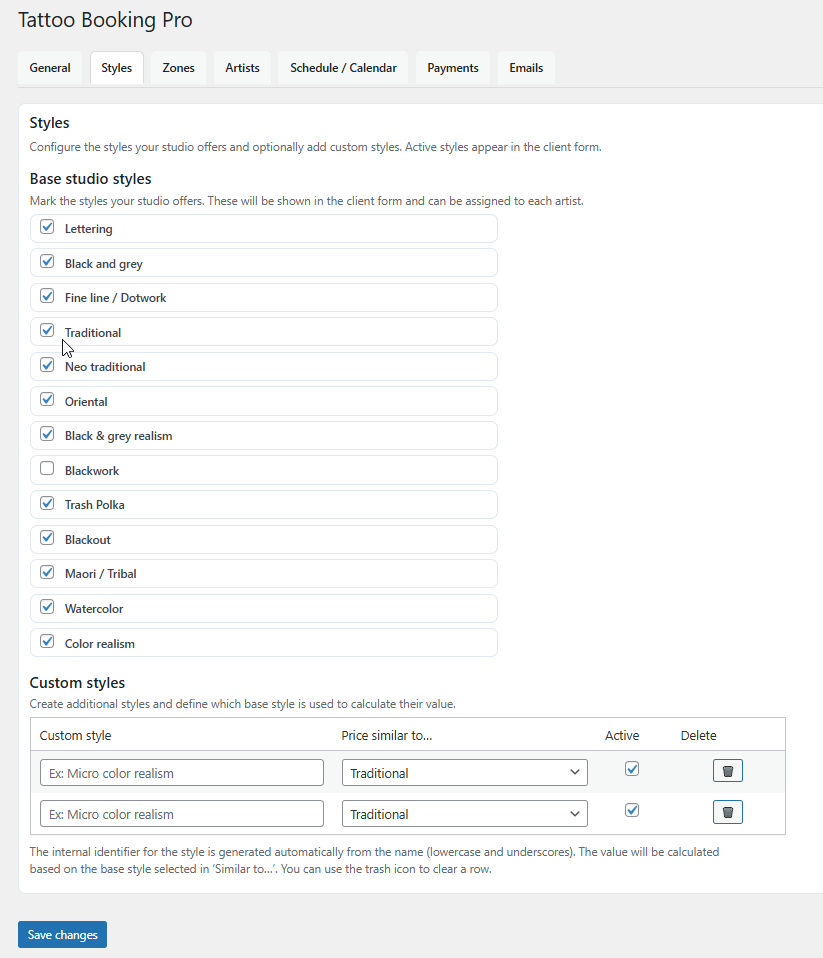
Configuring tattoo styles
Each tattoo style can have its own pricing behavior and be enabled or disabled independently.
This allows you to offer clear options to clients without confusion.
- Create and edit tattoo styles
- Enable or disable styles
- Set pricing behavior per style
- Control which styles appear in the booking form
Tips
- Use simple and recognizable style names
- Disable styles you are not currently offering
- Keep pricing behavior consistent across similar styles
Common mistakes
- Creating too many similar styles
- Leaving unused styles enabled
- Using unclear or internal style names